Canvas Sketch
Installing the Sketch CLI
We can install canvas-sketch globally on our system from the terminal using the following command:
npm install canvas-sketch-cli --global

# Go to a project folder by creating it first with mkdir and cd.
# While you are in that folder, you can run the tool with:

canvas-sketch
# Choose an entry point to be index.js, or give it any name with the --new flag.
# The --open flag opens it right away.

canvas-sketch sketch.js --new --open
# It will start a server and open the canvas.

# Opening it in Visual Studio Code makes it easier. Just type "code ." in the terminal.
Once we run the command above, it scaffolds the project with the following template code:
const canvasSketch = require('canvas-sketch')

const settings = {
  dimensions: [2048, 2048],
}

const sketch = () => {
  return ({ context, width, height }) => {
    context.fillStyle = 'cyan'
    context.fillRect(0, 0, width, height)
  }
}

canvasSketch(sketch, settings)
Drawing a circle is easy, too. You just have to create a path and then draw an arc:
const sketch = () => {
  return ({ context, width, height }) => {
    context.fillStyle = 'orange'
    context.fillRect(0, 0, width, height)

    context.beginPath()
    context.arc(width / 2, height / 2, 400, 0, Math.PI * 2, false)
    context.fillStyle = 'red'
    context.fill()
    context.lineWidth = 20
    context.strokeStyle = 'yellow'
    context.stroke()
  }
}
The Canvas Sketch tool can create a PNG file for you with the same dimensions as the canvas. All you have to do is click on the canvas to make it active and use the Ctrl + S shortcut key to save the PNG file to your downloads folder.
What is even more awesome about dimensions is that we can set various sizes for different devices using predefined preset flags, such as A4, A3, Letter, or Postcard.
const settings = {
  dimensions: 'A4',
}

// Instead of setting dimension sizes manually like before,
// paper size presets include: 'A4', 'A3', 'letter', and 'postcard'.
Resolution
The resolution is set to 72 by default. To get a higher resolution, pass a pixelsPerInch value, which yields a much sharper image.
const settings = {
  dimensions: 'A4',
  pixelsPerInch: 300,
}
When we change the resolution, the visual scale of elements also changes. To preserve the original look, we need to scale pixel sizes relative to the screen width, and do the same for line widths:
//context.arc(width / 2, height / 2, 300, 0, Math.PI * 2, false);
context.arc(width / 2, height / 2, width * 2, 0, Math.PI * 2, false)

//context.lineWidth = 20;
context.lineWidth = width * 0.05
This preserves the appearance while increasing the resolution, though it will also result in a larger PNG file size.
However, when passing raw numerical values for dimensions, the unit isn't explicitly known. To resolve this, we can specify a unit parameter:
const settings = {
	dimensions: "A4",
	units: "cm"   // we can also use 'in' for inches,
	pixelsPerInch: 300,
};
If we then console.log the width and height, it will output values in the specified unit instead of raw pixels. This applies to all measurements, including radius.
Orientation
We can also set the orientation:
const settings = {
	dimensions: "A4",
	units: "cm"
	pixelsPerInch: 300,
	orientation: "landscape",  // or portrait
};
If we pass numeric dimensions and have already defined our preferred unit, those dimensions will be interpreted in that unit:
const settings = {
	dimensions: [32, 32],
	units: "cm",
	pixelsPerInch: 300,
	orientation: "landscape",
};

const sketch = () => {
	return ({ context, width, height }) => {
		console.log(width, height);
	});
}
The best preset for Instagram and other platforms is square formats, which work exceptionally well.
const settings = {
  dimensions: [2048, 2048],
  pixelsPerInch: 300,
}
Creating the Grid
const settings = {
  dimensions: [2048, 2048],
}

const sketch = () => {
  const createGrid = () => {
    const points = []

    const count = 5

    for (let x = 0; x < count; x++) {
      for (let y = 0; y < count; y++) {
        const u = x / count
        const v = y / count
        points.push([u, v])
      }
    }
    return points
  }

  const points = createGrid()

  return ({ context, width, height }) => {
    context.fillStyle = 'white'
    context.fillRect(0, 0, width, height)
  }
}

canvasSketch(sketch, settings)
const sketch = () => {
const createGrid = () => {
const points = []
const count = 5
for (let x = 0; x < count; x++) {
for (let y = 0; y < count; y++) {
const u = count <= 1 ? 0.5 : x / (count - 1)
// we want the UV cordinate to from zero to one
const v = count <= 1 ? 0.5 : y / (count - 1)
// If we don't do -1, it will go from 0 - 0.8
points.push([u, v])
}
}
return points
}
const points = createGrid()
return ({ context, width, height }) => {
context.fillStyle = 'white'
context.fillRect(0, 0, width, height)
points.forEach(([u, v]) => {
const x = u * width
const y = v * height
// u and v is from 0 -1 so we need to scale it relative
// to canvas size
context.beginPath()
context.arc(x, y, 200, 0, Math.PI * 2, false)
context.strokeStyle = 'black'
context.lineWidth = 40
context.stroke()
})
}
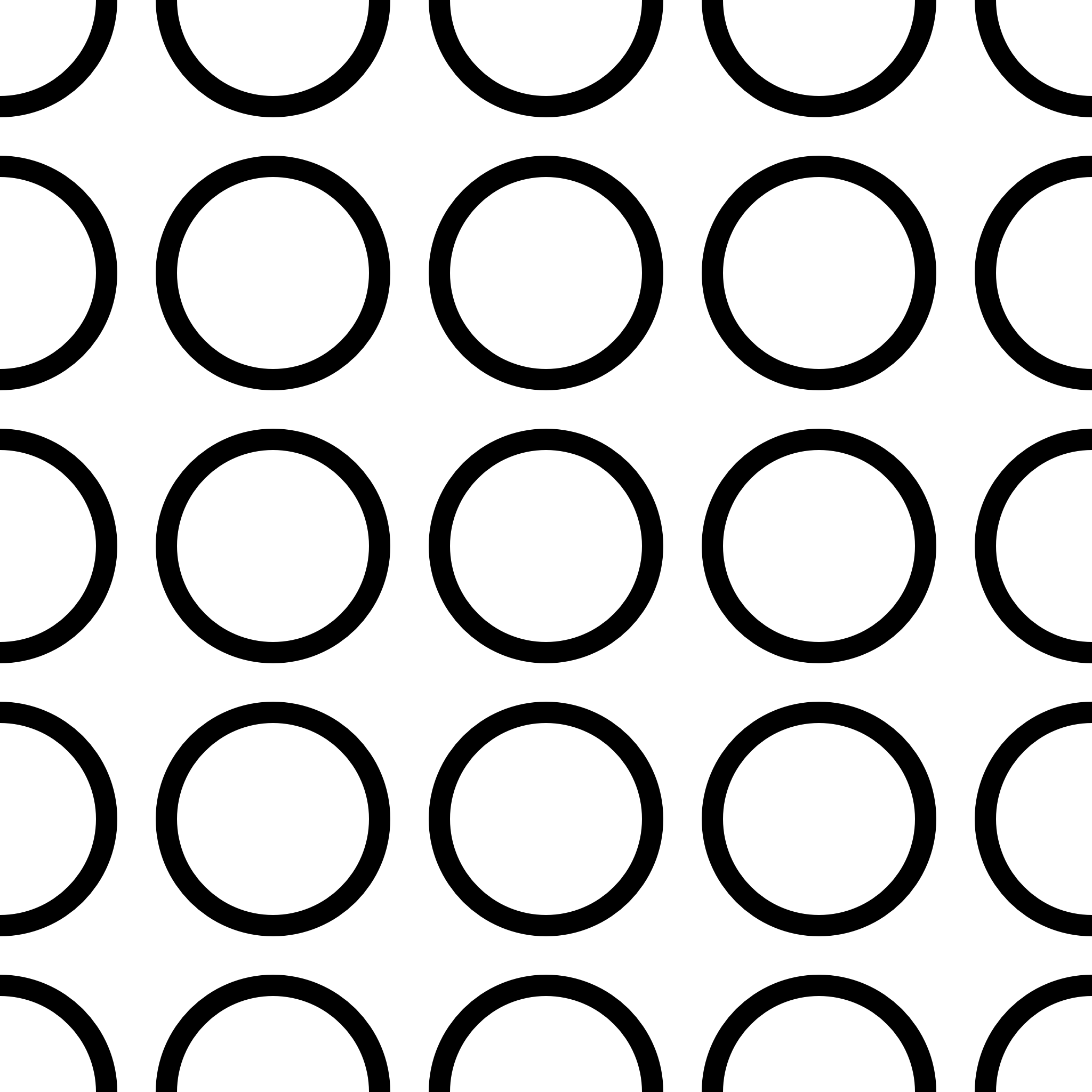
}
Adding Breathing Room Between Grid Cells
To add margins, we can install a utility module called canvas-sketch-util:
npm install canvas-sketch-utilWe will add it to our project by adding the function called lerp
const { lerp } = require("canvas-sketch-util/math");Linear Interpolation (LERP)
const margin = 100

const sketch = () => {
  const createGrid = () => {
    const points = []
    const count = 5
    for (let x = 0; x < count; x++) {
      for (let y = 0; y < count; y++) {
        const u = count <= 1 ? 0.5 : x / (count - 1) // we want the UV cordinate to from zero to one
        const v = count <= 1 ? 0.5 : y / (count - 1) // If we don't do -1, it will go from 0 - 0.8
        points.push([u, v])
      }
    }
    return points
  }

  const points = createGrid()
  const margin = 400

  return ({ context, width, height }) => {
    context.fillStyle = 'white'
    context.fillRect(0, 0, width, height)

    points.forEach(([u, v]) => {
      const x = lerp(margin, width - margin, u)
      const y = lerp(margin, height - margin, v)

      context.beginPath()
      context.arc(x, y, 100, 0, Math.PI * 2, false)
      context.strokeStyle = 'black'
      context.lineWidth = 40
      context.stroke()
    })
  }
}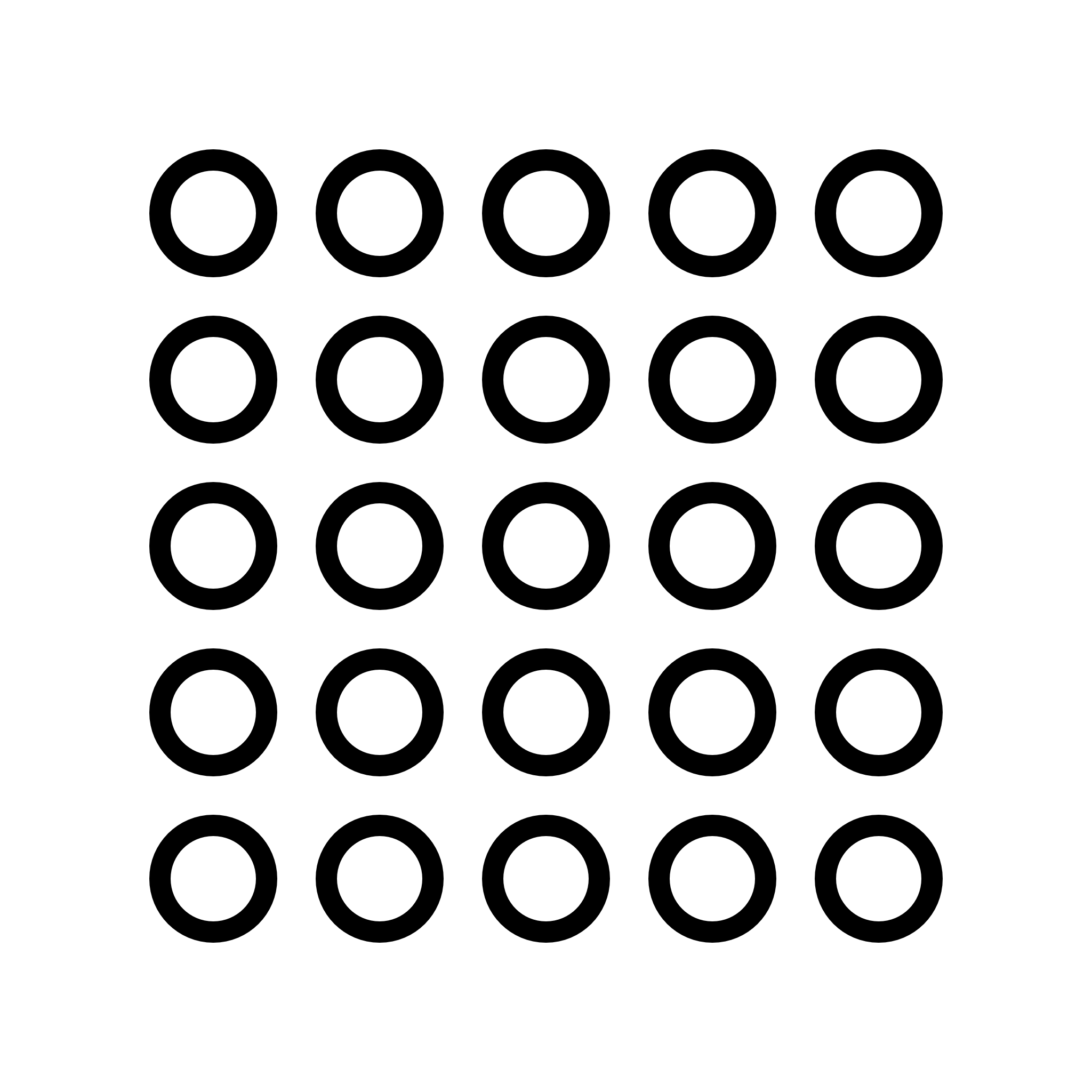
Now, instead of mapping directly from 0 to width or height, values span from the margin to width - margin (and similarly along the Y-axis). We can now reduce the radius and line width to achieve a clean pattern:
const canvasSketch = require('canvas-sketch')
const { lerp } = require('canvas-sketch-util/math')

const settings = {
  dimensions: [2048, 2048],
}

const sketch = () => {
  const createGrid = () => {
    const points = []
    const count = 30
    for (let x = 0; x < count; x++) {
      for (let y = 0; y < count; y++) {
        const u = count <= 1 ? 0.5 : x / (count - 1) // we want the UV cordinate to from zero to one
        const v = count <= 1 ? 0.5 : y / (count - 1) // If we don't do -1, it will go from 0 - 0.8
        points.push([u, v])
      }
    }
    return points
  }

  const points = createGrid()
  const margin = 400

  return ({ context, width, height }) => {
    context.fillStyle = 'white'
    context.fillRect(0, 0, width, height)

    points.forEach(([u, v]) => {
      const x = lerp(margin, width - margin, u)
      const y = lerp(margin, height - margin, v)

      context.beginPath()
      context.arc(x, y, 5, 0, Math.PI * 2, false)
      context.strokeStyle = 'black'
      context.lineWidth = 20
      context.stroke()
    })
  }
}
canvasSketch(sketch, settings)
Adding Randomness
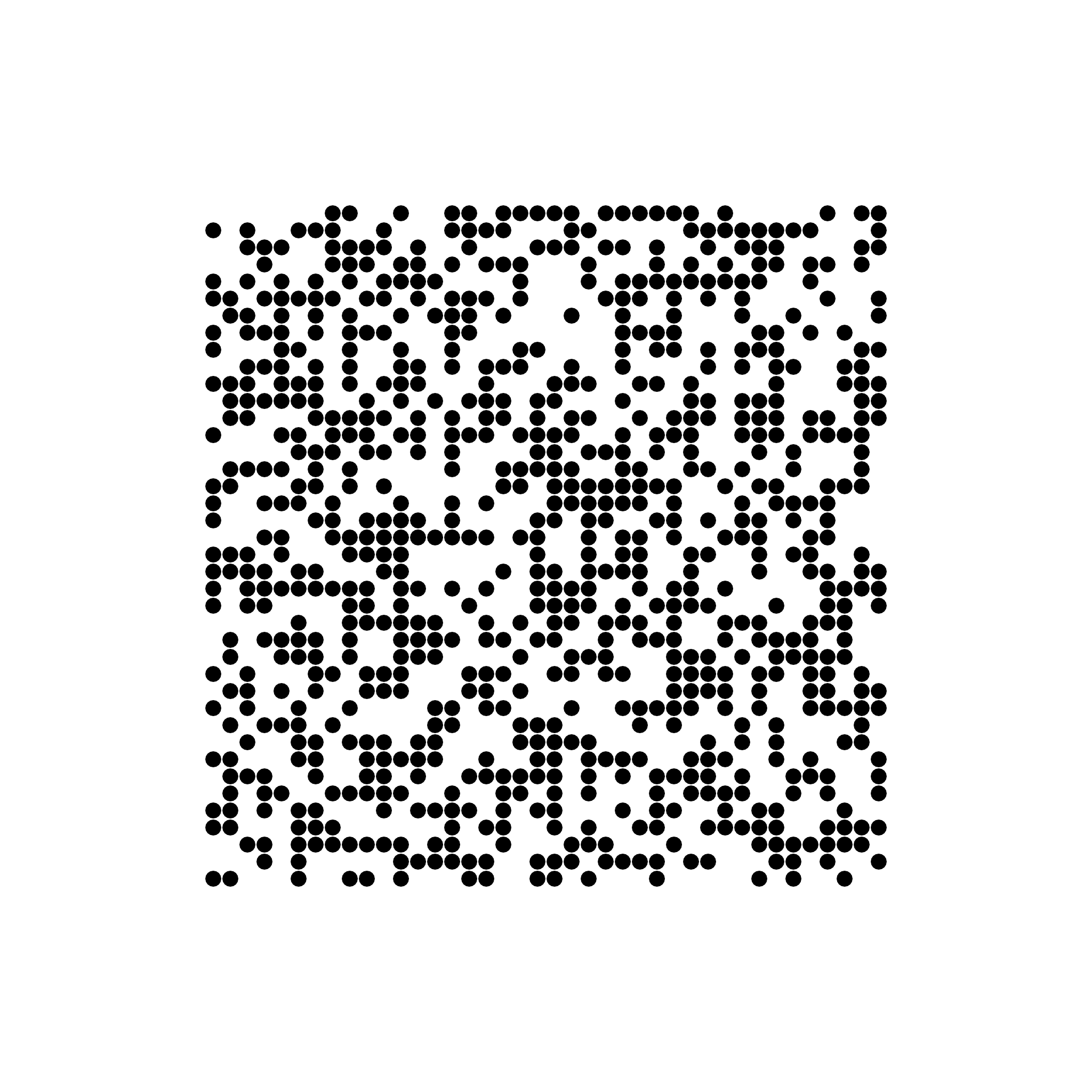
Introducing randomness gives designs a nice flair. We can filter our points using a random check:
const points = createGrid().filter(() => Math.random() > 0.5)Math.random() returns a value between 0 and 1.
This generates a different random pattern every time we reload the page.
If we want to reproduce the exact same pattern on every reload, we can track and pass in a fixed random seed. This is known as deterministic randomness. To achieve this, we use the random utility from the canvas-sketch-util module:
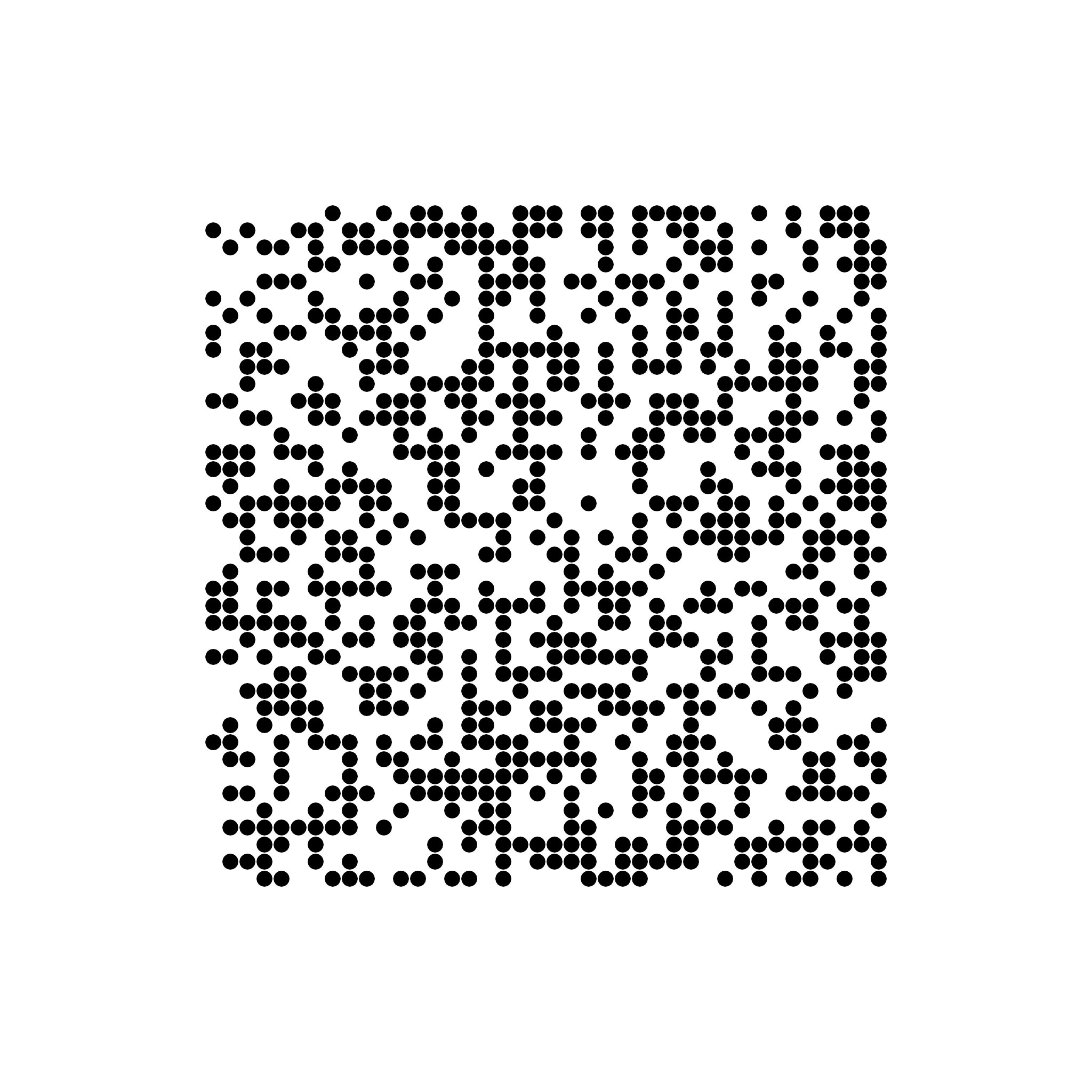
This generates a different random pattern every time we reload the page.
If we want to reproduce the exact same pattern on every reload, we can track and pass in a fixed random seed. This is known as deterministic randomness. To achieve this, we use the random utility from the canvas-sketch-util module:
const random = require('canvas-sketch-util/random')There are many random value generator functions available in this module (noise1d, permuteNoise, weighted, range, etc.).
Instead of Math.random(), we can use random.value(), which behaves similarly. Because we are using this random module, we can set a deterministic seed beforehand:
random.setSeed(1)
const points = createGrid().filter(() => random.value() > 0.5)

// we cab use any number or even string
random.setSeed(1)
random.setSeed('iyosias')
Here is a full implementation combining these modules and design patterns:
const canvasSketch = require('canvas-sketch')
const { lerp } = require('canvas-sketch-util/math')
const random = require('canvas-sketch-util/random')

const settings = {
  dimensions: [2048, 2048],
}

const sketch = () => {
  const createGrid = () => {
    const points = []
    const count = 40
    for (let x = 0; x < count; x++) {
      for (let y = 0; y < count; y++) {
        const u = count <= 1 ? 0.5 : x / (count - 1) // we want the UV cordinate to from zero to one
        const v = count <= 1 ? 0.5 : y / (count - 1) // If we don't do -1, it will go from 0 - 0.8
        points.push([u, v])
      }
    }
    return points
  }

  random.setSeed('iyosias')
  const points = createGrid().filter(() => random.value() > 0.5)
  const margin = 400

  return ({ context, width, height }) => {
    context.fillStyle = 'white'
    context.fillRect(0, 0, width, height)

    points.forEach(([u, v]) => {
      const x = lerp(margin, width - margin, u)
      const y = lerp(margin, height - margin, v)

      context.beginPath()
      context.arc(x, y, 5, 0, Math.PI * 2, false)
      context.strokeStyle = 'black'
      context.lineWidth = 20
      context.stroke()
    })
  }
}
canvasSketch(sketch, settings)
Radius & Organic Randomness
To give each circle an individual radius:
points.push({
  position: [u, v],
  radius: random.value() * 0.005,
})

// Instead of pushing just [u, v]
points.push([u, v])

points.forEach((data) => {
  const { position, radius } = data
  const [u, v] = position

  const x = lerp(margin, width - margin, u)
  const y = lerp(margin, height - margin, v)

  context.beginPath()
  context.arc(x, y, radius * width, 0, Math.PI * 2, false)
  context.fillStyle = 'black'
  context.fill()
})
const canvasSketch = require('canvas-sketch')
const { color } = require('canvas-sketch-util')
const { lerp } = require('canvas-sketch-util/math')
const random = require('canvas-sketch-util/random')
const settings = {
dimensions: [2048, 2048],
}
const sketch = () => {
const createGrid = () => {
const points = []
const count = 40
for (let x = 0; x < count; x++) {
for (let y = 0; y < count; y++) {
const u = count <= 1 ? 0.5 : x / (count - 1) // we want the UV cordinate to from zero to one
const v = count <= 1 ? 0.5 : y / (count - 1) // If we don't do -1, it will go from 0 - 0.8
points.push({
position: [u, v],
radius: random.value() * 0.01,
})
}
}
return points
}
random.setSeed('asd')
const points = createGrid().filter(() => random.value() > 0.5)
const margin = 400
return ({ context, width, height }) => {
context.fillStyle = 'white'
context.fillRect(0, 0, width, height)
points.forEach((data) => {
const { position, radius } = data
const [u, v] = position
const x = lerp(margin, width - margin, u)
const y = lerp(margin, height - margin, v)
context.beginPath()
context.arc(x, y, radius * width, 0, Math.PI * 2, false)
context.fillStyle = 'red'
context.fill()
})
}
}
canvasSketch(sketch, settings)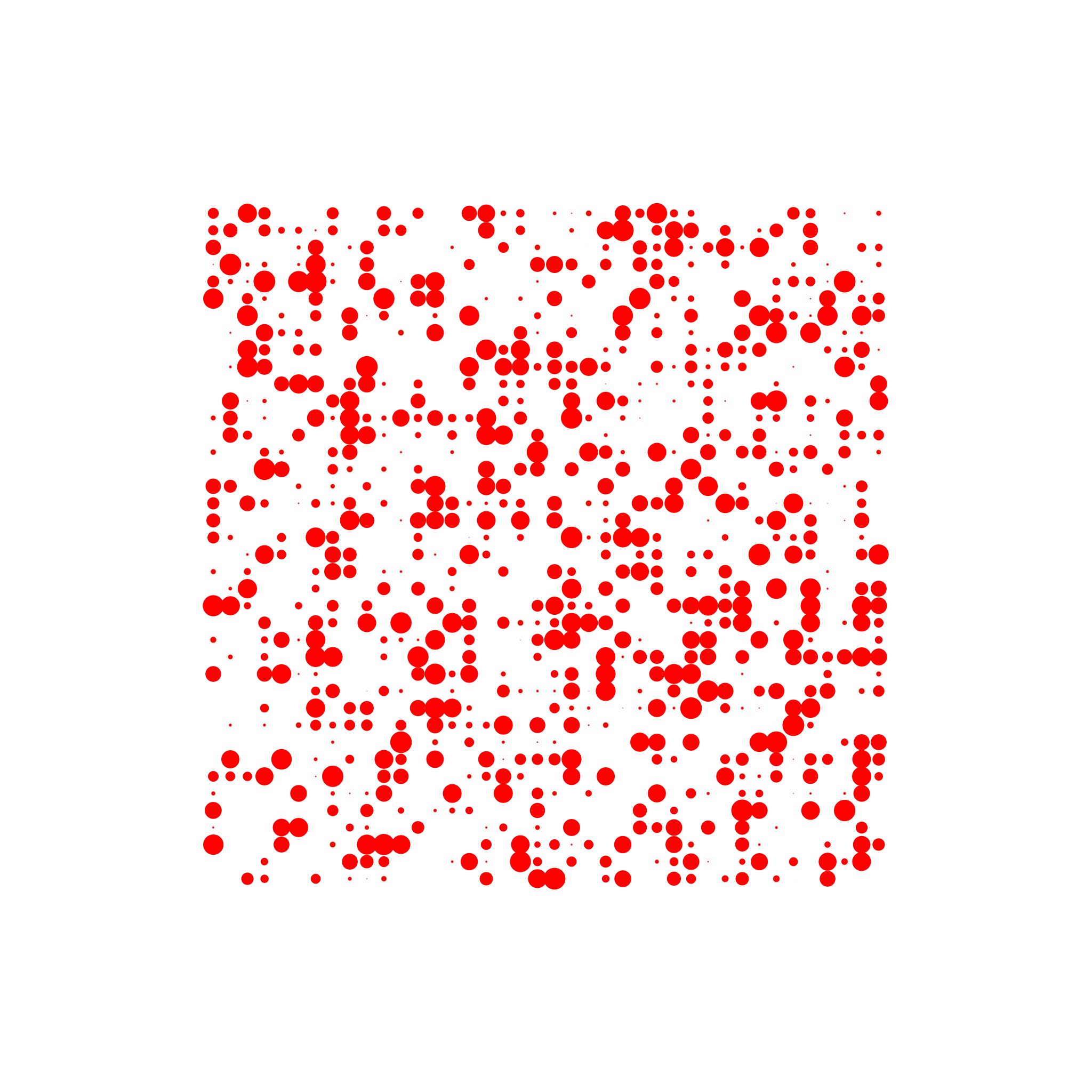
Gaussian randomness is from -3.5 to +3.5
Gaussian randomness ranges from -3.5 to +3.5. Since a circle radius cannot be negative, we wrap it in Math.abs()
points.push({
  position: [u, v],
  radius: Math.abs(random.gaussian()) * 0.007,
  // Or we can offset the minimum circle size, e.g., starting from 0.01:
  // radius: Math.abs(0.01 + random.gaussian()) * 0.007,
})
const canvasSketch = require('canvas-sketch')
const { color } = require('canvas-sketch-util')
const { lerp } = require('canvas-sketch-util/math')
const random = require('canvas-sketch-util/random')
const settings = {
dimensions: [2048, 2048],
}
const sketch = () => {
const createGrid = () => {
const points = []
const count = 30
for (let x = 0; x < count; x++) {
for (let y = 0; y < count; y++) {
const u = count <= 1 ? 0.5 : x / (count - 1) // we want the UV cordinate to from zero to one
const v = count <= 1 ? 0.5 : y / (count - 1) // If we don't do -1, it will go from 0 - 0.8
points.push({
position: [u, v],
radius: Math.abs(0.01 + random.gaussian() * 0.01),
})
}
}
return points
}
random.setSeed('iyosais')
const points = createGrid().filter(() => random.value() > 0.5)
const margin = 400
return ({ context, width, height }) => {
context.fillStyle = 'white'
context.fillRect(0, 0, width, height)
points.forEach((data) => {
const { position, radius } = data
const [u, v] = position
const x = lerp(margin, width - margin, u)
const y = lerp(margin, height - margin, v)
context.beginPath()
context.arc(x, y, radius * width, 0, Math.PI * 2, false)
context.fillStyle = 'red'
context.fill()
})
}
}
canvasSketch(sketch, settings)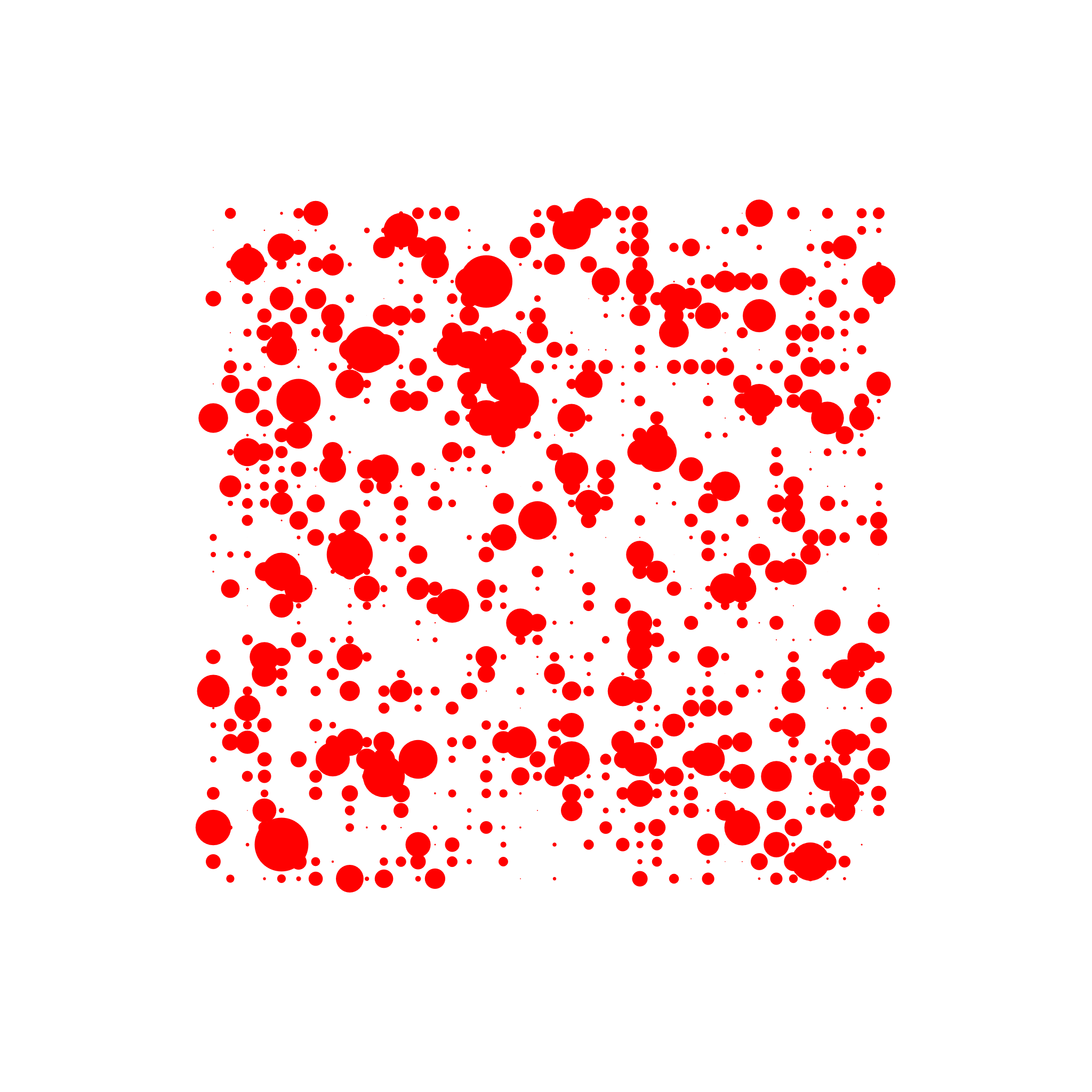
Color Palettes
We can install and use the nice-color-palettes package:
npm install nice-color-palettesWe can randomly pick a palette from a collection of 100 to 1,000 palettes
const palette = random.pick(palettes);

points.push({
	color: random.pick(palette),
	position: [u, v],
	radius: Math.abs(0.01 + random.gaussian() * 0.01),
});


points.forEach((data) => {
	const { position, radius, color } = data;

	context.fillStyle = color;
}
If we want to limit the palette to fewer colors (e.g., 3 colors instead of 5):
const palette = random.pick(palettes).slice(0, 3)
const palette = random.pick(palettes).slice(1, 4) // for 3 colors
const palette = random.pick(palettes).slice(1, 2) // for 1 color

// Or a random range
const colorCount = random.rangeFloor(1, 6) // since we want from zero to 5;
const palette = random.pick(palettes).slice(0, colorCount)

// we can also pick a random pallete. Then shuffle it and then pick a random range from the palette
const colorCount = random.rangeFloor(1, 6) // since we want from zero to 5;
const palette = random.shuffle(random.pick(palettes)).slice(0, colorCount)
Noise
// Value is in the -1 to 1 range
const v = noise2D(x, y)

// Map to 0 to 1 range (normalization)
const n = v * 0.5 + 0.5

// Turn into a percentage
const L = Math.floor(n * 100)

// Get color value
const hsl = `hsl(0, 0%, ${L}%)`
// Frequency of the noise signal (like zooming out from a helicopter)
const frequency = 5.0
const v = noise2D(x * frequency, y * frequency)const canvasSketch = require('canvas-sketch')
const { color } = require('canvas-sketch-util')
const { lerp } = require('canvas-sketch-util/math')
const random = require('canvas-sketch-util/random')
const palettes = require('nice-color-palettes')
const settings = {
dimensions: [2048, 2048],
}
const sketch = () => {
const colorCount = random.rangeFloor(1, 6) // since we want from zero to 5;
const palette = random.shuffle(random.pick(palettes)).slice(0, colorCount)
const createGrid = () => {
const points = []
const count = 30
for (let x = 0; x < count; x++) {
for (let y = 0; y < count; y++) {
const u = count <= 1 ? 0.5 : x / (count - 1) // we want the UV cordinate to from zero to one
const v = count <= 1 ? 0.5 : y / (count - 1) // If we don't do -1, it will go from 0 - 0.8
const radius = Math.abs(random.noise2D(u, v)) * 0.025 // you cab play around wuth this number
points.push({
color: random.pick(palette),
position: [u, v],
radius: radius,
})
}
}
return points
}
// random.setSeed("matt");
const points = createGrid().filter(() => random.value() > 0.5)
const margin = 400
return ({ context, width, height }) => {
context.fillStyle = 'white'
context.fillRect(0, 0, width, height)
points.forEach((data) => {
const { position, radius, color } = data
const [u, v] = position
const x = lerp(margin, width - margin, u)
const y = lerp(margin, height - margin, v)
context.beginPath()
context.arc(x, y, radius * width, 0, Math.PI * 2, false)
context.fillStyle = color
context.fill()
})
}
}
canvasSketch(sketch, settings)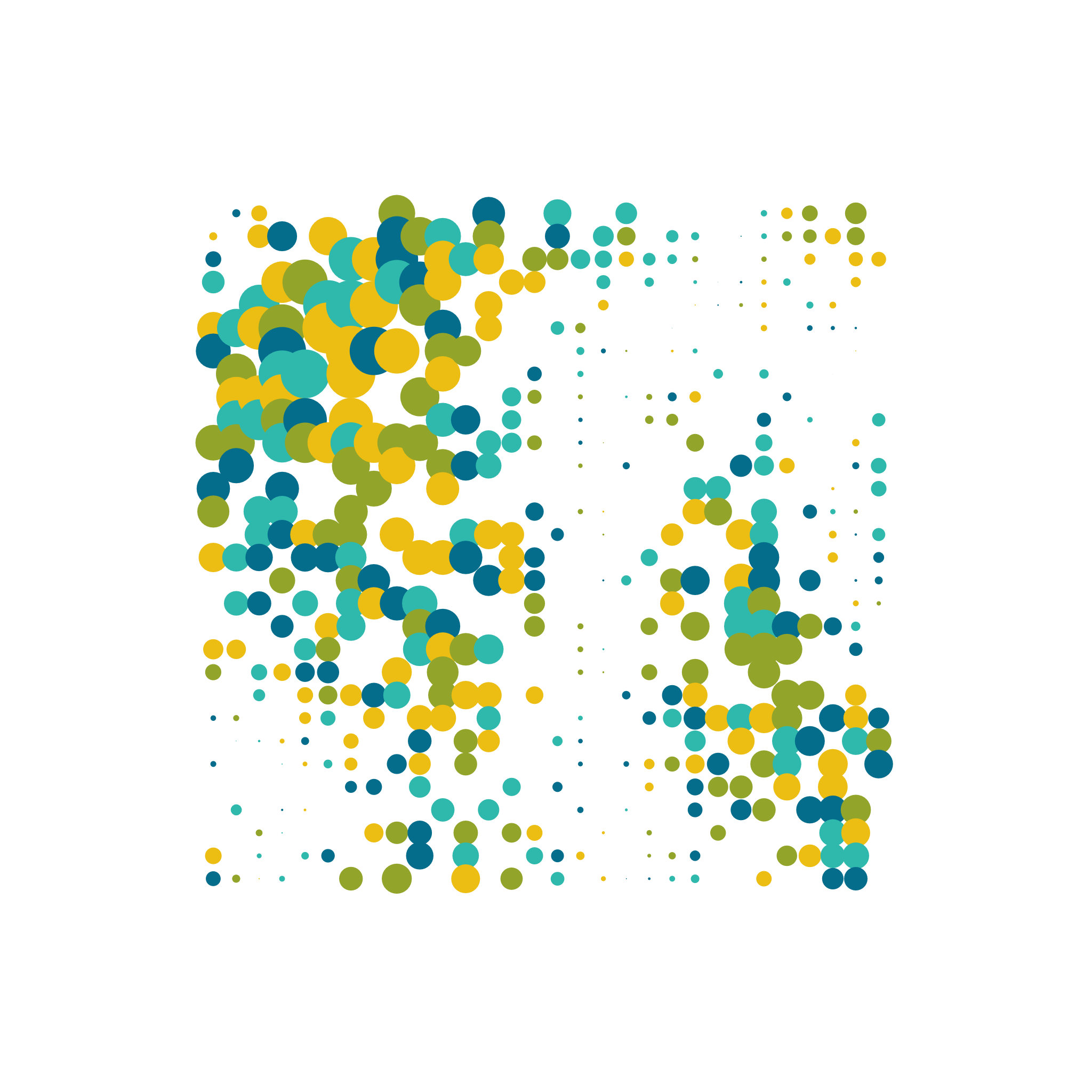
Drawing with Text Characters
context.fillStyle = color
// context.font = "100px 'Arial'";
// context.font = "100px 'Helvatica'";
context.font = `${radius * width}px "Helvetica"`
context.fillText('=', x, y)
Rotating works a little differently because the rotation matrix accumulates from the current canvas state
context.fillStyle = color
context.font = `${radius * width}px "Helvetica"`
context.rotate(1)
context.fillText('=', x, y)
To counteract this, you can rotate back:
context.fillStyle = color
context.font = `${radius * width}px "Helvetica"`
context.rotate(1)
context.fillText('=', x, y)
context.rotate(-1)
A much cleaner practice is to save the canvas state before drawing and restore it afterward
context.save()
context.fillStyle = color
context.font = `${radius * width}px "Helvetica"`
context.rotate(1)
context.fillText('=', x, y)
context.restore()
const canvasSketch = require('canvas-sketch')
const { color } = require('canvas-sketch-util')
const { lerp } = require('canvas-sketch-util/math')
const random = require('canvas-sketch-util/random')
const palettes = require('nice-color-palettes')
const settings = {
dimensions: [2048, 2048],
}
const sketch = () => {
const colorCount = random.rangeFloor(1, 6) // since we want from zero to 5;
const palette = random.shuffle(random.pick(palettes)).slice(0, colorCount)
const createGrid = () => {
const points = []
const count = 30
for (let x = 0; x < count; x++) {
for (let y = 0; y < count; y++) {
const u = count <= 1 ? 0.5 : x / (count - 1) // we want the UV cordinate to be from zero to one
const v = count <= 1 ? 0.5 : y / (count - 1) // If we don't do -1, it will go from 0 - 0.8
const radius = Math.abs(random.noise2D(u, v)) * 0.05
points.push({
color: random.pick(palette),
position: [u, v],
radius: radius,
})
}
}
return points
}
// random.setSeed("matt");
const points = createGrid().filter(() => random.value() > 0.05)
const margin = 400
return ({ context, width, height }) => {
context.fillStyle = 'white'
context.fillRect(0, 0, width, height)
points.forEach((data) => {
const { position, radius, color } = data
const [u, v] = position
const x = lerp(margin, width - margin, u)
const y = lerp(margin, height - margin, v)
// context.beginPath();
// context.arc(x, y, radius * width, 0, Math.PI * 2, false);
// context.fillStyle = color;
// context.fill();
context.save()
context.fillStyle = color
context.font = `${radius * width}px "Helvetica"`
context.rotate(1)
context.fillText('=', x, y)
context.restore()
})
}
}
canvasSketch(sketch, settings)To position characters cleanly without wonky alignment, we should translate the context coordinate space to (x, y), rotate by a specific degree, and then draw text at (0, 0):
context.save()
context.fillStyle = color
context.font = `${radius * width}px "Helvetica"`
context.translate(x, y)
context.rotate(0.65)
context.fillText('=', 0, 0)
context.restore()
We can experiment further with different colors, randomized characters from an array, and other combinations:
const canvasSketch = require('canvas-sketch')
const { color } = require('canvas-sketch-util')
const { lerp } = require('canvas-sketch-util/math')
const random = require('canvas-sketch-util/random')
const palettes = require('nice-color-palettes')

const settings = {
  dimensions: [2048, 2048],
}

const sketch = () => {
  const colorCount = random.rangeFloor(1, 6) // since we want from zero to 5;
  const palette = random.shuffle(random.pick(palettes)).slice(0, colorCount)

  const createGrid = () => {
    const points = []
    const count = 40
    for (let x = 0; x < count; x++) {
      for (let y = 0; y < count; y++) {
        const u = count <= 1 ? 0.5 : x / (count - 1) // we want the UV cordinate to from zero to one
        const v = count <= 1 ? 0.5 : y / (count - 1) // If we don't do -1, it will go from 0 - 0.8
        const radius = Math.abs(random.noise2D(u, v)) * 0.25
        points.push({
          color: random.pick(palette),
          position: [u, v],
          radius: radius,
          rotation: random.noise2D(u, v),
        })
      }
    }
    return points
  }

  // random.setSeed("matt");
  const points = createGrid().filter(() => random.value() > 0.05)
  const margin = 400

  return ({ context, width, height }) => {
    context.fillStyle = 'white'
    context.fillRect(0, 0, width, height)

    points.forEach((data) => {
      const { position, radius, color, rotation } = data

      const [u, v] = position

      const x = lerp(margin, width - margin, u)
      const y = lerp(margin, height - margin, v)

      context.save()
      context.fillStyle = color
      context.font = `${radius * width}px "Helvetica"`
      context.translate(x, y)
      context.rotate(rotation)
      context.fillText('+', 0, 0)
      context.restore()
    })
  }
}
canvasSketch(sketch, settings)
To dynamically append the seed value as a suffix to generated PNG file names, you can configure it like this:
random.setSeed(random.getRandomSeed())

const settings = {
  suffix: random.getSeed(),
  dimensions: [2048, 2048],
}